Budgeting & Planning

Budget in days, not months. Without leaving Excel.

BRBDesk brings templates, linked planning modules, drivers, approvals, forecasts and variance analysis into one AI-native platform. Your team keeps working in Excel. BRBDesk handles the model, the workflow and the numbers.

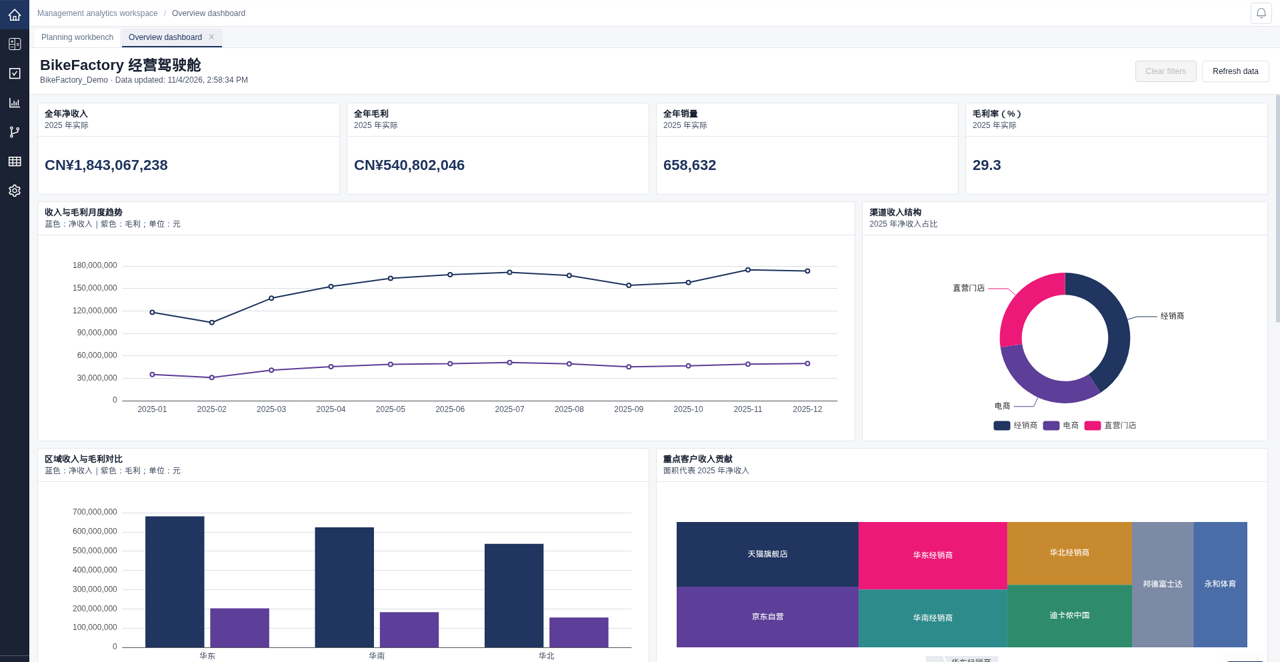
Budget workspace overview

Sound familiar?

Consolidation by hand

Dozens of department files, stitched together in one master workbook. One broken link, one wrong total.


Version chaos

Budget_v7_final_FINAL.xlsx. Nobody knows which number is the real one.

Budget cycles that take months

By the time the plan is signed off, the business has already moved.

Approvals by email

Attachments, reply-all threads and no audit trail of who signed off on what.

Everything your budget cycle needs. In one platform.

Modular planning

Six plans, one model

Sales, production, procurement, workforce, opex and capex plans live in linked modules, so every plan rolls up into one budget.

  • Six linked modules: sales, production, procurement, workforce/people, opex and capex.
  • Each team plans in its own module, on shared dimensions and versions.
  • Module results flow into the consolidated budget and P&L. No more stitching files together.

Templates & data entry

Collect every budget in one model

Standard templates for every department, entered on the web or in Excel. Every number lands in the same model, instantly.
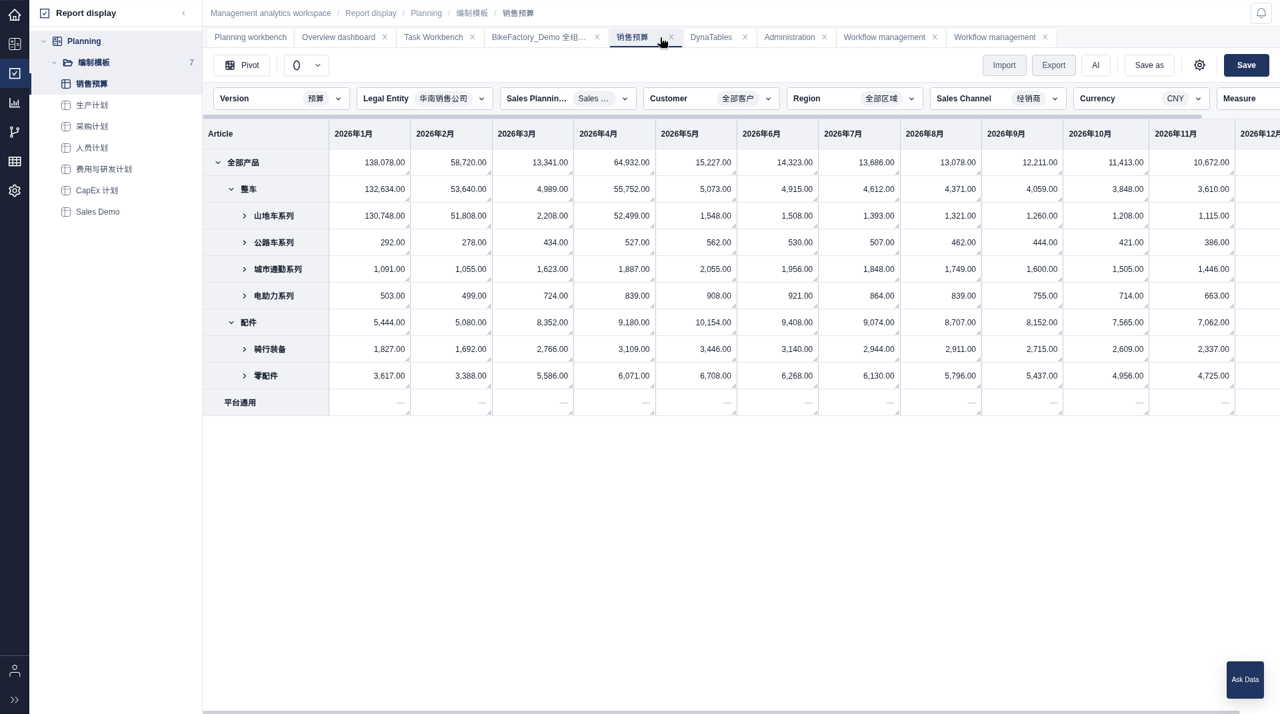
  • Budget templates and web data entry with splash write: enter a total, BRBDesk spreads it proportionally to the detail. Hold and release cells to lock what's fixed.
  • Excel and WPS add-in with write-back, formulas, POV selection, drill and query designer. Spread values across the grid without leaving Excel.
  • Web report designer with dynamic tables, so reports grow with your dimensions.
Template editor

Driver-based planning

Plan on drivers, not plugs

Model how your business actually works. Change a driver and the plan follows.
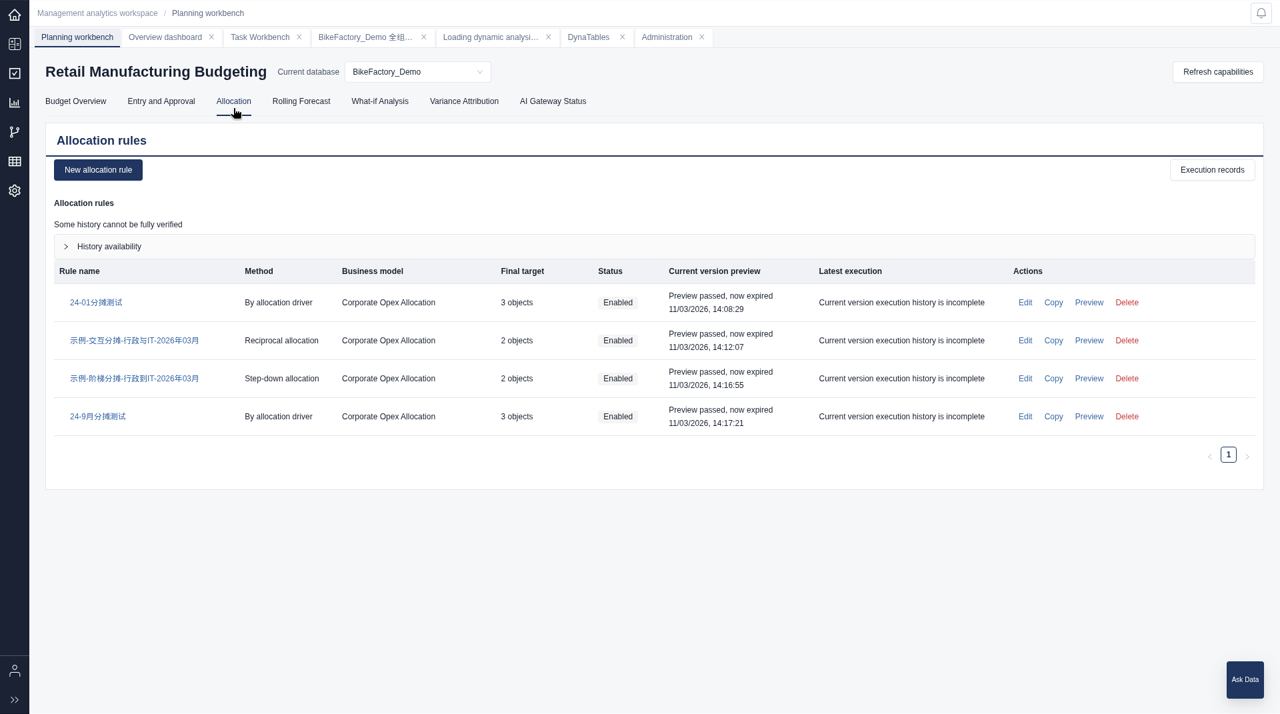
  • Multi-stage driver-based cost allocation across entities, departments and products.
  • Revenue driver rules such as revenue = volume x price, defined once and applied everywhere.
  • Scenario drivers to switch between sets of planning assumptions.
Allocation

What-if analysis

Test the alternatives before you commit

Run what-if analysis on your real model in a sandbox. Explore the impact, then decide.
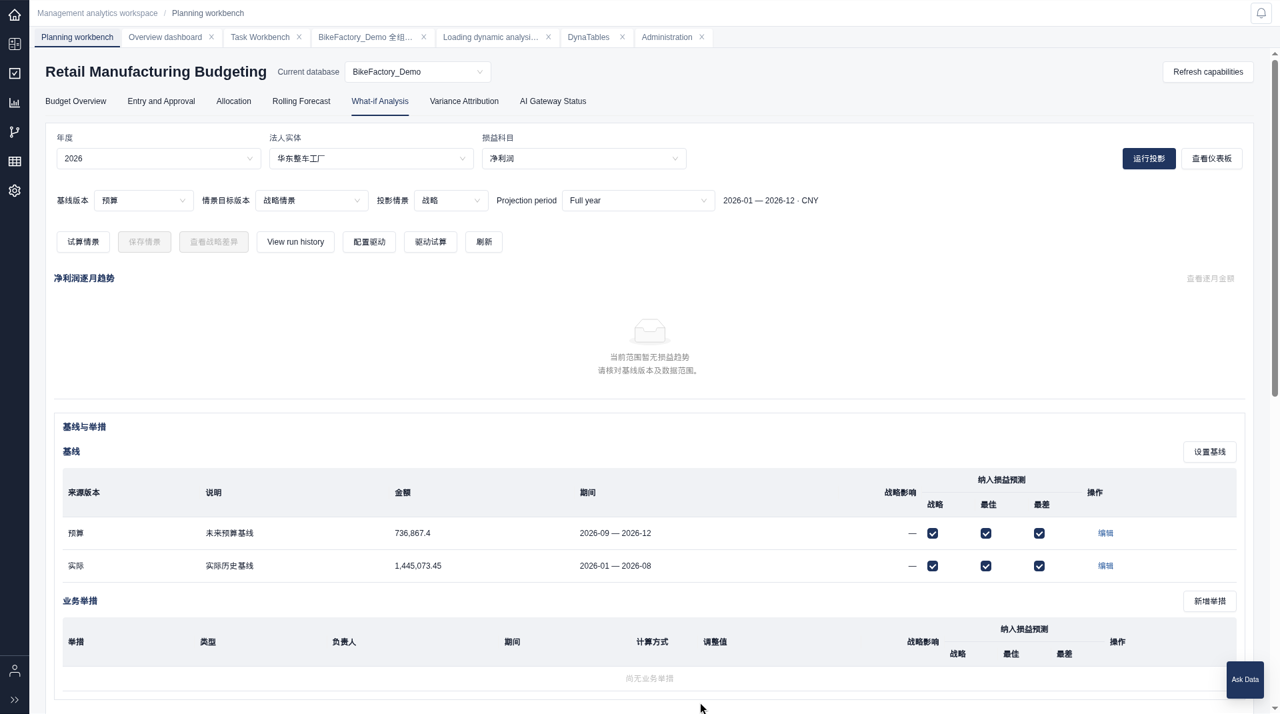
  • What-if sandbox on a copy of the plan, so the live budget stays untouched.
  • Change drivers and assumptions and see the impact flow through the model.
  • Compare what-if results against the plan before anything is committed.
What-if

Approvals & permissions

Sign-off with control built in

Approvals run inside BRBDesk, not your inbox. Every step is tracked and every submission is protected.
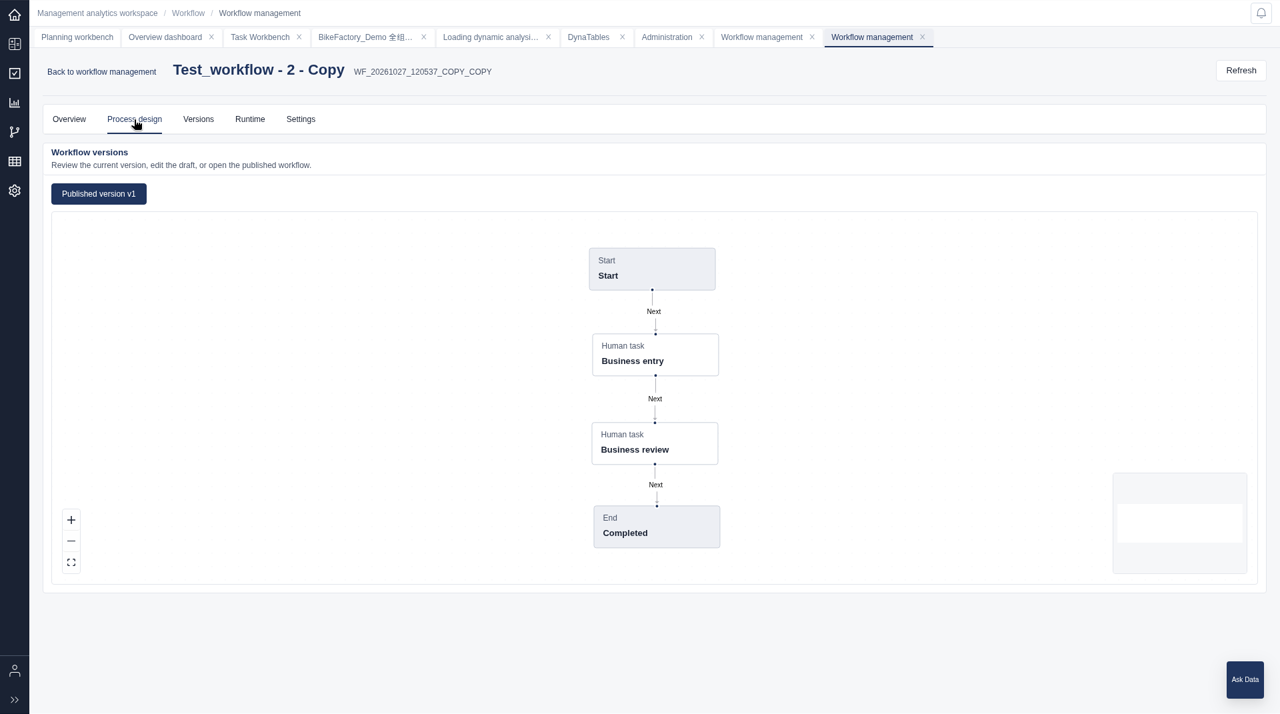
  • Configurable approval workflow: reject, reassign, set deadlines and auto-reject on timeout.
  • Write lock bound to workflow status. Once submitted, the numbers stay put.
  • Data-entry and approval permissions, so each user enters and approves only what they own.
Workflow designer

Rolling forecast

Keep the forecast current, every month

Roll forward with actuals and reforecast what's next, without rebuilding the model.
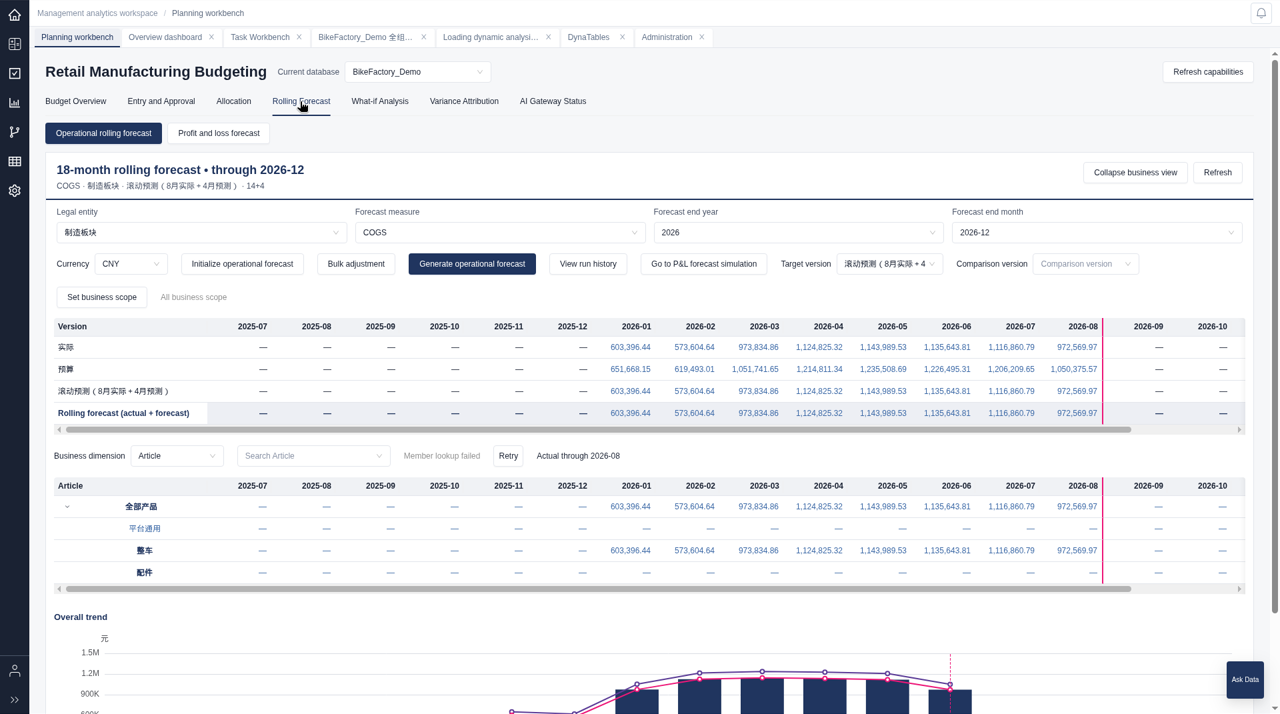
  • N months actual + M months forecast, configured to your cadence.
  • Forecast workbench to review, adjust and submit in one place.
  • Version copy to seed a new forecast from budget or the last forecast in one step.
Rolling forecast

Variance analysis

Know why, not just how much

Go from budget vs actual to root cause in a few clicks.
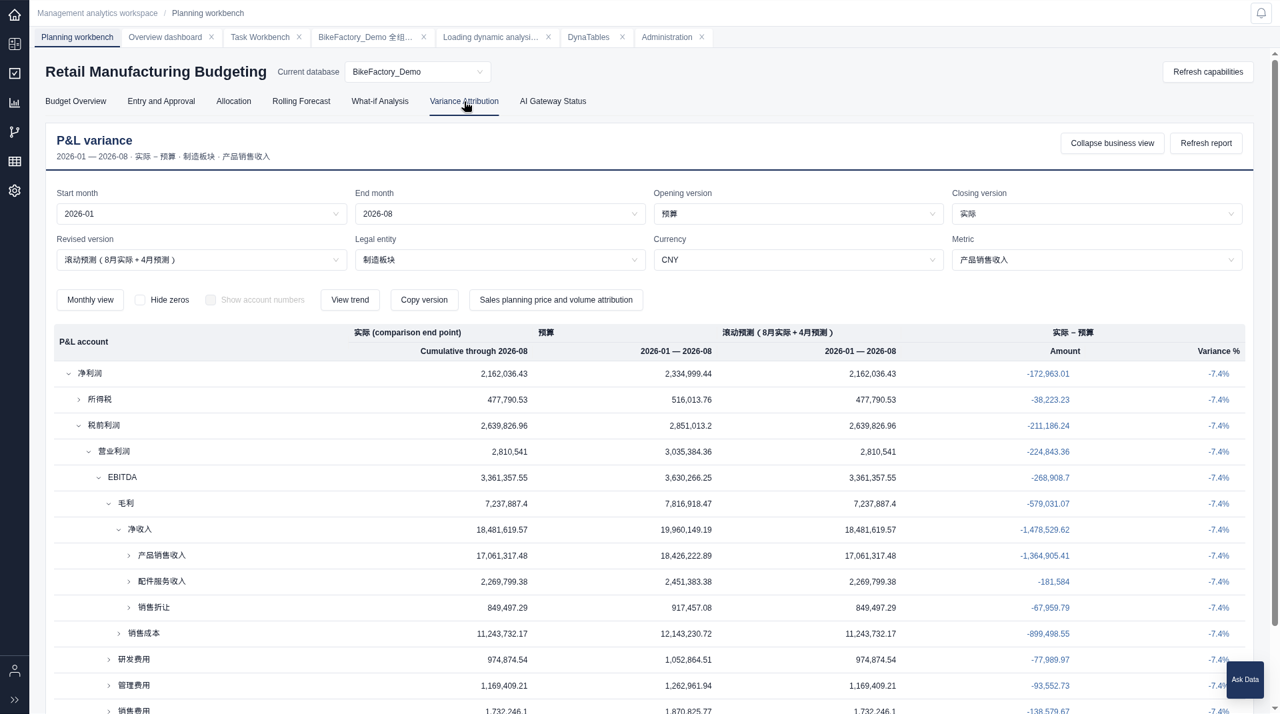
  • Budget vs actual in real time, by any dimension.
  • Variance attribution into price and volume, price-volume-mix analysis and margin bridge.
  • Drill-through from any number to the SAP source document.
Variance attribution

AI for planning

AI that shows its work

BRBDesk AI answers questions and drafts explanations, reports and templates. Every number it cites is traced back to your data.

  • AI variance explanation and auto-generated management report narrative. Every number is traced to its source, so nothing is made up.
  • AI management reporting workspace with a six-step guided flow, from data to finished report.
  • AI Template Builder: describe the change in plain language and BRBDesk adjusts your data-entry template.

Ask Your Data

  • Ask questions in plain language against live planning data.
  • Answers grounded in governed data, not guesses.

Connects to the systems you already run

Integrations

SAP ECC / S/4HANAOracle FusionOracle EPMMS DynamicsJedoxExcelWPSGoogle SheetsFeishuAny ERP via ODBC, JDBC or REST

What changes for your finance team

Days → minutes

Reporting cycles shrink from manual crunching to real-time visibility.

< 15 min

Variance briefs that used to take a full day.

2–4 weeks

From kickoff to your first budget-vs-actual cycle.

Customer story — coming soon.

Ready to run your next budget on BRBDesk?

Start with discovery, agree the scope, then put BRBDesk to work on your own data in a 90-day pilot.

Start the 90-day pilot